

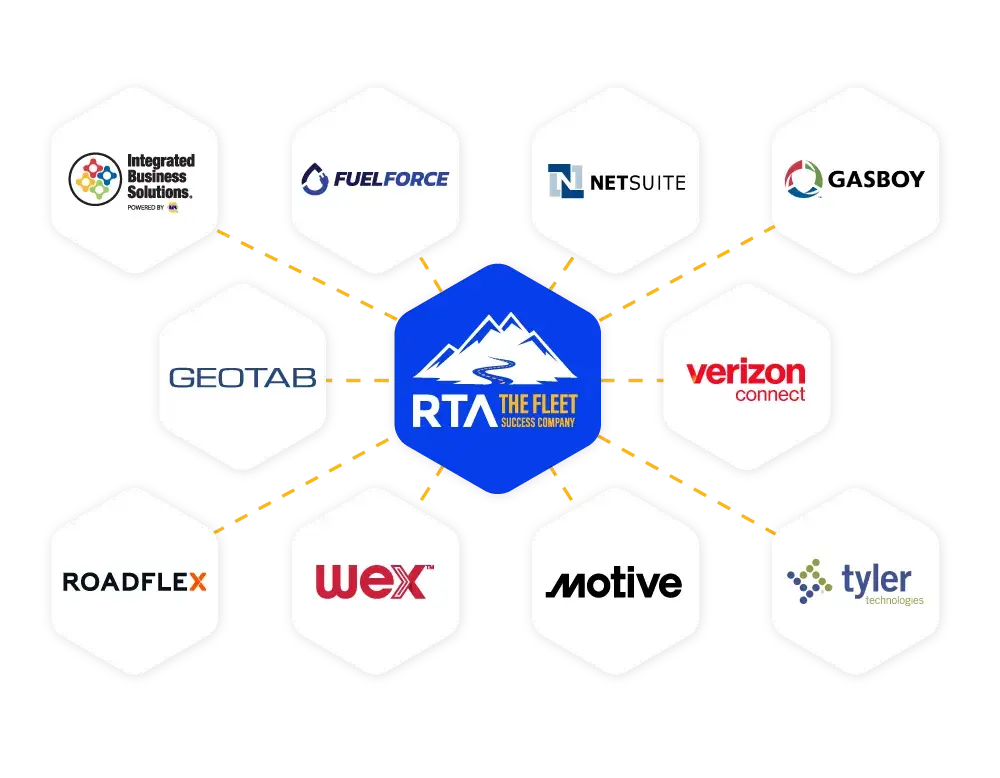
INTEGRATION DIRECTORY
Find Your Systems
Search by system name or by the data you need, like meter updates, DVIRs, or fuel transactions.
No integrations match yet
Try a different system name or data type, or reach out to RTA about connecting your system.
 Telematics
Geotab
Location · Meter Updates +3
Geotab is a telematics provider that connects with RTA Fleet360. The integration shares location, meter updates, DVIR, EV Charge, and DTC/Fault Codes with Fleet360.
- LocationVehicle location data is shared with Fleet360.
- Meter UpdatesOdometer readings update the asset meter in Fleet360 automatically, so usage stays current without manual entry.
- DVIRDriver inspection reports come into Fleet360, where reported defects can be reviewed and turned into work orders.
- EV ChargeEV charging data is shared with Fleet360.
- DTC/Fault CodesDiagnostic trouble codes are shared with Fleet360.
 Telematics
Samsara
Meter Updates · DVIR
Samsara is a telematics provider that connects with RTA Fleet360. The integration shares meter updates and DVIR with Fleet360.
- Meter UpdatesOdometer readings update the asset meter in Fleet360 automatically, so usage stays current without manual entry.
- DVIRDriver inspection reports come into Fleet360, where reported defects can be reviewed and turned into work orders.

 Telematics
Motive
Meter Updates · DVIR +1
Motive is a telematics provider that connects with RTA Fleet360. The integration shares meter updates, DVIR, and engine hours with Fleet360.
- Meter UpdatesOdometer readings update the asset meter in Fleet360 automatically, so usage stays current without manual entry.
- DVIRDriver inspection reports come into Fleet360, where reported defects can be reviewed and turned into work orders.
- Engine HoursEngine hour readings are sent to the asset record in Fleet360.

 Telematics
Verizon Connect
Meter Updates · Engine Hours
Verizon Connect is a telematics provider that connects with RTA Fleet360. The integration shares meter updates and engine hours with Fleet360.
- Meter UpdatesOdometer readings update the asset meter in Fleet360 automatically, so usage stays current without manual entry.
- Engine HoursEngine hour readings are sent to the asset record in Fleet360.

 Telematics
GPS Insight
Location · Meter Updates +3
GPS Insight is a telematics provider that connects with RTA Fleet360. The integration shares location, meter updates, DVIR, EV Charge, and DTC/Fault Codes with Fleet360.
- LocationVehicle location data is shared with Fleet360.
- Meter UpdatesOdometer readings update the asset meter in Fleet360 automatically, so usage stays current without manual entry.
- DVIRDriver inspection reports come into Fleet360, where reported defects can be reviewed and turned into work orders.
- EV ChargeEV charging data is shared with Fleet360.
- DTC/Fault CodesDiagnostic trouble codes are shared with Fleet360.
 Telematics
Zonar
Meter Updates · DVIR +1
Zonar is a telematics provider that connects with RTA Fleet360. The integration shares meter updates, DVIR, and LOI with Fleet360.
- Meter UpdatesOdometer readings update the asset meter in Fleet360 automatically, so usage stays current without manual entry.
- DVIRDriver inspection reports come into Fleet360, where reported defects can be reviewed and turned into work orders.
- LOILocation of Interest data helps route each inspection to the right facility.
 Telematics
Trimble
DVIR
Trimble is a telematics provider that connects with RTA Fleet360. The integration shares DVIR with Fleet360.
- DVIRDriver inspection reports come into Fleet360, where reported defects can be reviewed and turned into work orders.

 Telematics
Solera | Omnitracs
Meter Updates
Solera | Omnitracs is a telematics provider that connects with RTA Fleet360. The integration shares meter updates with Fleet360.
- Meter UpdatesOdometer readings update the asset meter in Fleet360 automatically, so usage stays current without manual entry.
 Fuel
WEX
Fuel · Meter Updates +2
WEX is a fuel system that connects with RTA Fleet360. The integration shares fuel, meter updates, fuel costs, and fuel card with Fleet360.
- FuelFuel transactions, volumes, and meter readings post automatically to the asset record.
- Meter UpdatesOdometer readings update the asset meter in Fleet360 automatically, so usage stays current without manual entry.
- Fuel CostsFuel transaction costs support tracking fuel spend by asset.
- Fuel CardFuel card transaction data comes into Fleet360.
 Fuel
Comdata
Fuel · Meter Updates +2
Comdata is a fuel system that connects with RTA Fleet360. The integration shares fuel, meter updates, fuel costs, and fuel card with Fleet360.
- FuelFuel transactions, volumes, and meter readings post automatically to the asset record.
- Meter UpdatesOdometer readings update the asset meter in Fleet360 automatically, so usage stays current without manual entry.
- Fuel CostsFuel transaction costs support tracking fuel spend by asset.
- Fuel CardFuel card transaction data comes into Fleet360.
 Fuel
Voyager
Fuel · Meter Updates +2
Voyager is a fuel system that connects with RTA Fleet360. The integration shares fuel, meter updates, fuel costs, and fuel card with Fleet360.
- FuelFuel transactions, volumes, and meter readings post automatically to the asset record.
- Meter UpdatesOdometer readings update the asset meter in Fleet360 automatically, so usage stays current without manual entry.
- Fuel CostsFuel transaction costs support tracking fuel spend by asset.
- Fuel CardFuel card transaction data comes into Fleet360.

 Fuel
FuelMaster Syntech
Fuel · Meter Updates +1
FuelMaster Syntech is a fuel system that connects with RTA Fleet360. The integration shares fuel, meter updates, and onsite fuel management with Fleet360.
- FuelFuel transactions, volumes, and meter readings post automatically to the asset record.
- Meter UpdatesOdometer readings update the asset meter in Fleet360 automatically, so usage stays current without manual entry.
- Onsite Fuel ManagementTransactions from your onsite fuel system come into Fleet360.
 ERP & Accounting
QuickBooks
Import/Export
QuickBooks is an ERP and accounting system that connects with RTA Fleet360. The integration shares Import/Export with Fleet360.
- Import/ExportMove data between Fleet360 and your accounting system through import and export.
 ERP & Accounting
Tyler Munis
Import/Export
Tyler Munis is an ERP and accounting system that connects with RTA Fleet360. The integration shares Import/Export with Fleet360.
- Import/ExportMove data between Fleet360 and your accounting system through import and export.
 ERP & Accounting
Oracle
Import/Export
Oracle is an ERP and accounting system that connects with RTA Fleet360. The integration shares Import/Export with Fleet360.
- Import/ExportMove data between Fleet360 and your accounting system through import and export.
 Parts & Tires
NAPA IBS
Track · Order
NAPA IBS is a parts and tire system that connects with RTA Fleet360. The integration shares track and order with Fleet360.
- TrackTrack parts.
- OrderOrder parts.

 Telematics
3rd Eye
Meter Updates
3rd Eye is a telematics provider that connects with RTA Fleet360. The integration shares meter updates with Fleet360.
- Meter UpdatesOdometer readings update the asset meter in Fleet360 automatically, so usage stays current without manual entry.

 Telematics
Azuga
Meter Updates
Azuga is a telematics provider that connects with RTA Fleet360. The integration shares meter updates with Fleet360.
- Meter UpdatesOdometer readings update the asset meter in Fleet360 automatically, so usage stays current without manual entry.
 Fuel
CFN
Fuel · Meter Updates +2
CFN is a fuel system that connects with RTA Fleet360. The integration shares fuel, meter updates, fuel costs, and fuel card with Fleet360.
- FuelFuel transactions, volumes, and meter readings post automatically to the asset record.
- Meter UpdatesOdometer readings update the asset meter in Fleet360 automatically, so usage stays current without manual entry.
- Fuel CostsFuel transaction costs support tracking fuel spend by asset.
- Fuel CardFuel card transaction data comes into Fleet360.

 Telematics
ClearPathGPS
Meter Updates · Engine Hours
ClearPathGPS is a telematics provider that connects with RTA Fleet360. The integration shares meter updates and engine hours with Fleet360.
- Meter UpdatesOdometer readings update the asset meter in Fleet360 automatically, so usage stays current without manual entry.
- Engine HoursEngine hour readings are sent to the asset record in Fleet360.

 Telematics
Command Alkon Track-It!
Meter Updates
Command Alkon Track-It! is a telematics provider that connects with RTA Fleet360. The integration shares meter updates with Fleet360.
- Meter UpdatesOdometer readings update the asset meter in Fleet360 automatically, so usage stays current without manual entry.
 Telematics
DQT
Meter Updates
DQT is a telematics provider that connects with RTA Fleet360. The integration shares meter updates with Fleet360.
- Meter UpdatesOdometer readings update the asset meter in Fleet360 automatically, so usage stays current without manual entry.

 Fuel
EJ Ward
Fuel · Meter Updates +2
EJ Ward is a fuel system that connects with RTA Fleet360. The integration shares fuel, meter updates, fuel costs, and onsite fuel management with Fleet360.
- FuelFuel transactions, volumes, and meter readings post automatically to the asset record.
- Meter UpdatesOdometer readings update the asset meter in Fleet360 automatically, so usage stays current without manual entry.
- Fuel CostsFuel transaction costs support tracking fuel spend by asset.
- Onsite Fuel ManagementTransactions from your onsite fuel system come into Fleet360.
 Telematics
EROAD
Meter Updates
EROAD is a telematics provider that connects with RTA Fleet360. The integration shares meter updates with Fleet360.
- Meter UpdatesOdometer readings update the asset meter in Fleet360 automatically, so usage stays current without manual entry.
 Telematics
Fleetilla
Meter Updates
Fleetilla is a telematics provider that connects with RTA Fleet360. The integration shares meter updates with Fleet360.
- Meter UpdatesOdometer readings update the asset meter in Fleet360 automatically, so usage stays current without manual entry.
 Telematics
FleetSharp
Meter Updates
FleetSharp is a telematics provider that connects with RTA Fleet360. The integration shares meter updates with Fleet360.
- Meter UpdatesOdometer readings update the asset meter in Fleet360 automatically, so usage stays current without manual entry.
 Fuel
FuelCloud
Fuel · Meter Updates
FuelCloud is a fuel system that connects with RTA Fleet360. The integration shares fuel and meter updates with Fleet360.
- FuelFuel transactions, volumes, and meter readings post automatically to the asset record.
- Meter UpdatesOdometer readings update the asset meter in Fleet360 automatically, so usage stays current without manual entry.
 Fuel
FuelForce
Fuel · Meter Updates +1
FuelForce is a fuel system that connects with RTA Fleet360. The integration shares fuel, meter updates, and onsite fuel management with Fleet360.
- FuelFuel transactions, volumes, and meter readings post automatically to the asset record.
- Meter UpdatesOdometer readings update the asset meter in Fleet360 automatically, so usage stays current without manual entry.
- Onsite Fuel ManagementTransactions from your onsite fuel system come into Fleet360.
 Fuel
FuelTrax
Fuel · Meter Updates +2
FuelTrax is a fuel system that connects with RTA Fleet360. The integration shares fuel, meter updates, fuel costs, and onsite fuel management with Fleet360.
- FuelFuel transactions, volumes, and meter readings post automatically to the asset record.
- Meter UpdatesOdometer readings update the asset meter in Fleet360 automatically, so usage stays current without manual entry.
- Fuel CostsFuel transaction costs support tracking fuel spend by asset.
- Onsite Fuel ManagementTransactions from your onsite fuel system come into Fleet360.
 Fuel
GasBoy
Fuel · Meter Updates +2
GasBoy is a fuel system that connects with RTA Fleet360. The integration shares fuel, meter updates, fuel costs, and onsite fuel management with Fleet360.
- FuelFuel transactions, volumes, and meter readings post automatically to the asset record.
- Meter UpdatesOdometer readings update the asset meter in Fleet360 automatically, so usage stays current without manual entry.
- Fuel CostsFuel transaction costs support tracking fuel spend by asset.
- Onsite Fuel ManagementTransactions from your onsite fuel system come into Fleet360.

 ERP & Accounting
Great Plains
Import/Export
Great Plains is an ERP and accounting system that connects with RTA Fleet360. The integration shares Import/Export with Fleet360.
- Import/ExportMove data between Fleet360 and your accounting system through import and export.

 Telematics
Intellishift
DVIR
Intellishift is a telematics provider that connects with RTA Fleet360. The integration shares DVIR with Fleet360.
- DVIRDriver inspection reports come into Fleet360, where reported defects can be reviewed and turned into work orders.
 Telematics
J.J. Keller
Meter Updates
J.J. Keller is a telematics provider that connects with RTA Fleet360. The integration shares meter updates with Fleet360.
- Meter UpdatesOdometer readings update the asset meter in Fleet360 automatically, so usage stays current without manual entry.

 ERP & Accounting
JD Edwards
Import/Export
JD Edwards is an ERP and accounting system that connects with RTA Fleet360. The integration shares Import/Export with Fleet360.
- Import/ExportMove data between Fleet360 and your accounting system through import and export.
 ERP & Accounting
McLeod
Import/Export
McLeod is an ERP and accounting system that connects with RTA Fleet360. The integration shares Import/Export with Fleet360.
- Import/ExportMove data between Fleet360 and your accounting system through import and export.
 ERP & Accounting
Microsoft Dynamics
Import/Export
Microsoft Dynamics is an ERP and accounting system that connects with RTA Fleet360. The integration shares Import/Export with Fleet360.
- Import/ExportMove data between Fleet360 and your accounting system through import and export.
 Telematics
Mobikit
Meter Updates
Mobikit is a telematics provider that connects with RTA Fleet360. The integration shares meter updates with Fleet360.
- Meter UpdatesOdometer readings update the asset meter in Fleet360 automatically, so usage stays current without manual entry.

 Telematics
Netradyne
Meter Updates
Netradyne is a telematics provider that connects with RTA Fleet360. The integration shares meter updates with Fleet360.
- Meter UpdatesOdometer readings update the asset meter in Fleet360 automatically, so usage stays current without manual entry.
 ERP & Accounting
NetSuite
Import/Export
NetSuite is an ERP and accounting system that connects with RTA Fleet360. The integration shares Import/Export with Fleet360.
- Import/ExportMove data between Fleet360 and your accounting system through import and export.
 Telematics
OneStepGPS
Meter Updates · Hours +1
OneStepGPS is a telematics provider that connects with RTA Fleet360. The integration shares meter updates, hours, and DTC/Fault Codes with Fleet360.
- Meter UpdatesOdometer readings update the asset meter in Fleet360 automatically, so usage stays current without manual entry.
- HoursHour readings are sent to the asset record in Fleet360.
- DTC/Fault CodesDiagnostic trouble codes are shared with Fleet360.

 Predictive Maintenance
Optimum Fleet Health
DTC/Fault Codes
Optimum Fleet Health is a predictive maintenance tool that connects with RTA Fleet360. The integration shares DTC/Fault Codes with Fleet360.
- DTC/Fault CodesDiagnostic trouble codes are shared with Fleet360.
 Fuel
OPW
Fuel · Meter Updates +3
OPW is a fuel system that connects with RTA Fleet360. The integration shares fuel, meter updates, fuel costs, fuel card, and onsite fuel management with Fleet360.
- FuelFuel transactions, volumes, and meter readings post automatically to the asset record.
- Meter UpdatesOdometer readings update the asset meter in Fleet360 automatically, so usage stays current without manual entry.
- Fuel CostsFuel transaction costs support tracking fuel spend by asset.
- Fuel CardFuel card transaction data comes into Fleet360.
- Onsite Fuel ManagementTransactions from your onsite fuel system come into Fleet360.
 Telematics
ORBCOMM
Meter Updates · DVIR
ORBCOMM is a telematics provider that connects with RTA Fleet360. The integration shares meter updates and DVIR with Fleet360.
- Meter UpdatesOdometer readings update the asset meter in Fleet360 automatically, so usage stays current without manual entry.
- DVIRDriver inspection reports come into Fleet360, where reported defects can be reviewed and turned into work orders.

 Fuel
Pacific Pride
Fuel · Meter Updates +2
Pacific Pride is a fuel system that connects with RTA Fleet360. The integration shares fuel, meter updates, fuel costs, and fuel card with Fleet360.
- FuelFuel transactions, volumes, and meter readings post automatically to the asset record.
- Meter UpdatesOdometer readings update the asset meter in Fleet360 automatically, so usage stays current without manual entry.
- Fuel CostsFuel transaction costs support tracking fuel spend by asset.
- Fuel CardFuel card transaction data comes into Fleet360.

 ERP & Accounting
Peachtree
Import/Export
Peachtree is an ERP and accounting system that connects with RTA Fleet360. The integration shares Import/Export with Fleet360.
- Import/ExportMove data between Fleet360 and your accounting system through import and export.

 Telematics
Pedigree Technologies
Meter Updates
Pedigree Technologies is a telematics provider that connects with RTA Fleet360. The integration shares meter updates with Fleet360.
- Meter UpdatesOdometer readings update the asset meter in Fleet360 automatically, so usage stays current without manual entry.

 Telematics
Platform Science
Meter Updates
Platform Science is a telematics provider that connects with RTA Fleet360. The integration shares meter updates with Fleet360.
- Meter UpdatesOdometer readings update the asset meter in Fleet360 automatically, so usage stays current without manual entry.

 Fuel
RoadFlex
Fuel · Meter Updates +2
RoadFlex is a fuel system that connects with RTA Fleet360. The integration shares fuel, meter updates, fuel costs, and fuel card with Fleet360.
- FuelFuel transactions, volumes, and meter readings post automatically to the asset record.
- Meter UpdatesOdometer readings update the asset meter in Fleet360 automatically, so usage stays current without manual entry.
- Fuel CostsFuel transaction costs support tracking fuel spend by asset.
- Fuel CardFuel card transaction data comes into Fleet360.

 ERP & Accounting
SAGE Timberline
Import/Export
SAGE Timberline is an ERP and accounting system that connects with RTA Fleet360. The integration shares Import/Export with Fleet360.
- Import/ExportMove data between Fleet360 and your accounting system through import and export.

 ERP & Accounting
SAP
Import/Export
SAP is an ERP and accounting system that connects with RTA Fleet360. The integration shares Import/Export with Fleet360.
- Import/ExportMove data between Fleet360 and your accounting system through import and export.
 Telematics
Saucon
Meter Updates
Saucon is a telematics provider that connects with RTA Fleet360. The integration shares meter updates with Fleet360.
- Meter UpdatesOdometer readings update the asset meter in Fleet360 automatically, so usage stays current without manual entry.

 Telematics
Smart Tag
DVIR
Smart Tag is a telematics provider that connects with RTA Fleet360. The integration shares DVIR with Fleet360.
- DVIRDriver inspection reports come into Fleet360, where reported defects can be reviewed and turned into work orders.

 Telematics
STEMCO
Meter Updates
STEMCO is a telematics provider that connects with RTA Fleet360. The integration shares meter updates with Fleet360.
- Meter UpdatesOdometer readings update the asset meter in Fleet360 automatically, so usage stays current without manual entry.
 Telematics
Teletrac Navman
Meter Updates
Teletrac Navman is a telematics provider that connects with RTA Fleet360. The integration shares meter updates with Fleet360.
- Meter UpdatesOdometer readings update the asset meter in Fleet360 automatically, so usage stays current without manual entry.
 Parts & Tires
Tire Track
Real-Time Maintenance
Tire Track is a parts and tire system that connects with RTA Fleet360. The integration shares real-time maintenance with Fleet360.
- Real-Time MaintenanceTrack tire maintenance in real time.
 Telematics
TitanGPS
Meter Updates · DVIR
TitanGPS is a telematics provider that connects with RTA Fleet360. The integration shares meter updates and DVIR with Fleet360.
- Meter UpdatesOdometer readings update the asset meter in Fleet360 automatically, so usage stays current without manual entry.
- DVIRDriver inspection reports come into Fleet360, where reported defects can be reviewed and turned into work orders.

Don’t see your system?Reach out to RTA Fleet to talk about connecting it.
Talk to RTA Fleet